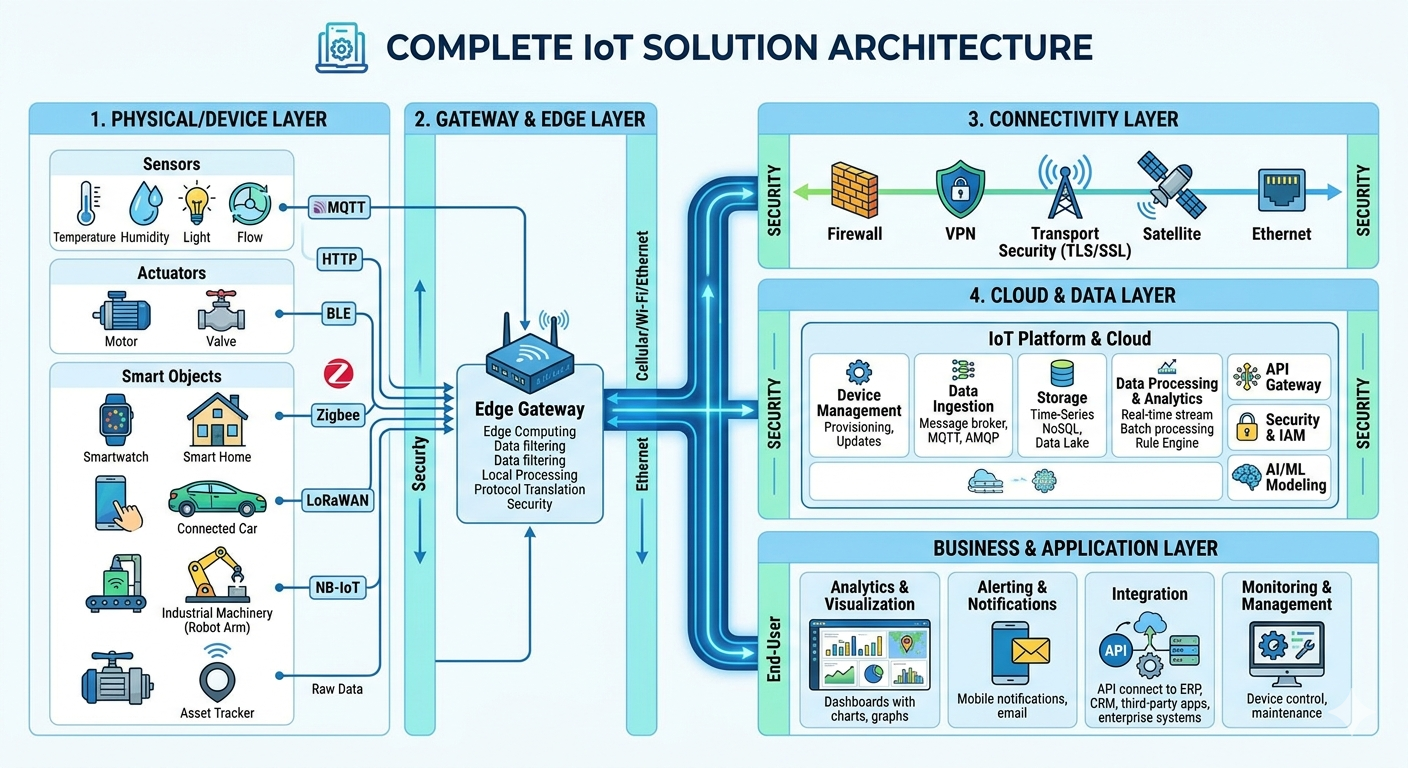
A Complete IoT Architecture
As a culmination of all the learning so far, we will build a Smart Home solution. The illustration below shows how all the components – sensors, controllers, microcontroller development boards, data transmission protocols, communication protocols, low-code flow-based platforms, MQTT brokers, and IoT apps – will work together.
To use MQTT directly, boards must have WiFi capability and be connected to a WiFi network. Alternately the boards need to connect to a platform such as Node-RED which in turn will connect to a WiFi network. Sensors connected to the board will publish their data to a topic on an MQTT broker and the app will subscribe to the topic. Whenever the sensor captures any data, it is displayed on the app through this pub-sub approach. In the other direction, the app will publish a control signal to a topic on an MQTT broker and the microcontroller that has subscribed to the topic will receive the signal and change the device state as required.
Using the Node-RED Low-Code Platform
The first, simpler variant will have three circuits, two with the Arduino Nano and one with the Raspberry Pico. Each microcontroller board will be connected to a Raspberry Pi or a personal computer running the Node-RED low-code platform.
The boards will send data to Node-RED over simple serial communication.
Node-RED will connect to a WiFi network and exchange data with the MQTT broker on the cloud which will exchange data with the mobile IoT app.
In this variant there will be no data exchange with the IoT app over BLE, hence the fourth circuit using the ESP32 will not be required.
Using Inter-board communication
The second, more complex variant will have four circuits, two with the Arduino Nano, one with the Raspberry Pico, and one with the ESP32.
The ESP32 will be programmed to connect to a WiFi network and exchange data with the MQTT broker on the cloud which will exchange data with the mobile IoT app.
The ESP32 will also be programmed to exchange data with the mobile app over BLE.
One Nano and the Pico will use the UART protocol for inter-board data exchange with the ESP32 and one Nano will use the LoRa protocol for data exchange with the ESP32.
The IoT App
These are snapshots of the STEMVentor IoT App that you can download from the Play Store (available for Android only at this time) and control your smart home circuits